요즘 여러 테스트가 유행입니다. 오늘은 성인들을 위한 bdsm 성향 테스트에 대해서 알아보겠습니다. bdsm 테스트는 성향은 21가지 유형이 있다고 합니다. bdsm 테스트를 통해서 나의 성적 취향 성향등을 알아보실 분은 오늘 포스팅을 꼭 참고해보시기 바랍니다.
1. bdsm 성향 테스트
bdsm 성향 테스트는 성적 성향 테스트라는 뜻입니다. bdsm은 b&d, d&s, m&s 3가지의 성적 지향을 이야기 합니다.
B Bondage(구속) & D Discipline(훈육)
Dominance(지배) & S Submission(굴복)
Sadism(가학) & M Masochism(피학)
이런 성향들을 이야기 합니다.
2. bdsm 성향 테스트 방법
총 3가지의 테스트 종류가 있습니다.
bdsm 성향 테스트 (test 모아)
- 49개의 질문을 통해서 본인의 bdsm의 성향별 백분율(%) 수치를 토대로 ‘매우 높음’, 높음’, ‘보통’, ‘낮음’ 순으로 확인이 가능합니다.
아래 바로가기를 클릭하면 테스트 가능합니다.
bdsm test (co)
- 95개의 질문을 통해서 본인의 성적 취향을 확인 가능합니다. 답변은 ‘전혀 동의하지 않는다’ 부터 ‘전적으로 동의’ 까지 총 7가지 답변을 선택 가능합니다.
아래 바로가기를 클릭하면 테스트 가능합니다.
bdsm test (org)
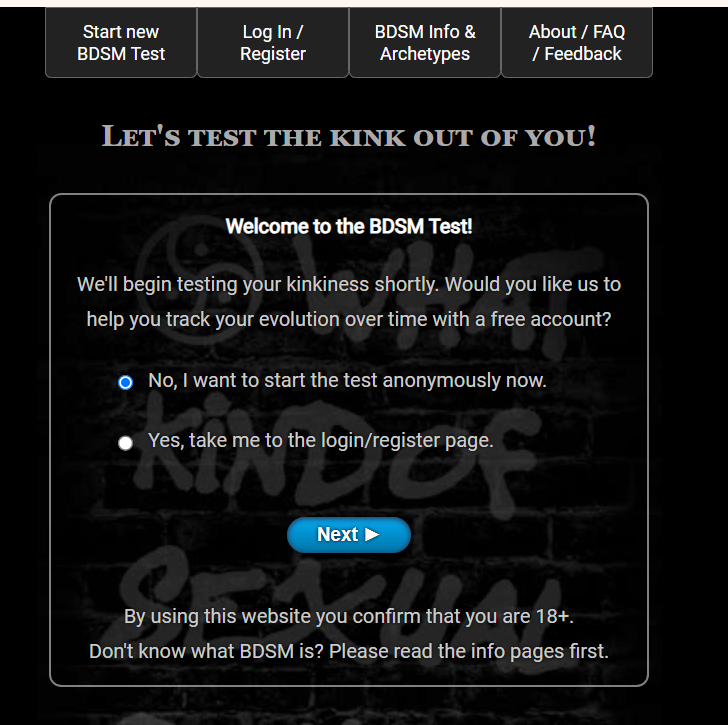
가장 첫 화면입니다. no를 선택하면 회원가입 없이 테스트가 가능합니다. next를 선택후 진행하시면 됩니다.
크롬을 이용하는 경우 오른쪽 버튼을 클릭후 한국어로 변역 후 테스트를 하시면 됩니다.
나이, 성별, 국가, 분야 등을 선택 가능하기 때문에 좀 더 세밀하게 테스트가 가능합니다.
아래 바로가기를 클릭하면 테스트 가능합니다.
3. bdsm 성향 21가지 유형 설명
| 번호 | 성향 | 설명 |
|---|---|---|
| 1 | 마스터/미스트레스 | 상대에게 존경을 받고 이를 위해 노력하며, 상대의 정신과 육체를 완전히 통제하고 지배할 자격을 갖추고자 함. |
| 2 | 헌터 | 상대를 완벽히 제압하고, 저항하는 모습을 보며 흥분을 느낌. |
| 3 | 브랫 테이머 | 순종하지 않는 대상에게 흥미를 느끼며, 반항하는 상대를 굴복시키는 데에서 쾌감을 느낌. |
| 4 | 오너 | 강한 유대감을 통해 상대를 소유하고자 하며, 본인 외 다른 대상에 관심을 두는 것을 싫어함. |
| 5 | 대디/마미 | 상대를 보살피고, 자신에게 의지하기를 바람. 대화와 부탁을 통해 관계를 이끌어감. |
| 6 | 사디스트 | 상대에게 고통을 주는 것을 즐기며, 가학 행위를 통해 흥분을 느낌. 다양한 도구를 사용하기도 함. |
| 7 | 스팽커 | 상대의 신체를 찰싹 때리는 행위에서 쾌감을 느낌. 소리와 반응, 자국을 중요시함. |
| 8 | 디그레이더 | 상대가 수치스러워하는 모습을 보며 흥분을 느낌. 상대를 음란하고 저속한 환경에 노출시키는 것을 즐김. |
| 9 | 리거 | 상대를 로프나 수갑 등으로 묶어 구속하는 것을 즐김. |
| 10 | 도미넌트 | 상대에게 명령과 지시를 내리며, 순종하거나 거칠게 반항하기를 바람. |
| 11 | 탑 | 상대를 주도하며 행동으로 원하는 방향으로 이끎. 상대가 명령을 따르지 않아도 소유에 집착하지 않음. |
| 12 | 보스 | 상대가 자발적으로 자신에게 봉사해 주길 바라며, 상대가 알아서 행동해 주길 바람. |
| 13 | 슬레이브 | 존경하는 상대에게 모든 의사결정을 맡기고, 완전히 지배받기를 원함. |
| 14 | 프레이 | 자신을 제압하려는 상대에게 저항하며 흥분을 느낌. 저항의 과정에서 쾌감을 느낌. |
| 15 | 브랫 | 순종하지 않고 굴복시키기를 바라며, 상대가 화를 내거나 강하게 다가오는 것에 흥미를 느낌. |
| 16 | 펫 | 상대에게 강한 유대감을 느끼고 소유되고 싶어함. 상대의 애정과 관심을 갈구함. |
| 17 | 리틀 | 상대방에게 보호와 보살핌을 받기를 원함. |
| 18 | 마조히스트 | 상대에게 학대당하며 느껴지는 고통에서 쾌감을 느낌. |
| 19 | 스팽키 | 찰싹 맞는 소리와 고통에서 쾌감을 느낌. |
| 20 | 디그레이디 | 수치스럽고 부끄러운 상황에 놓이는 것을 즐김. 저속한 말과 행동을 당하는 것을 즐기기도 함. |
| 21 | 로프 버니 | 로프나 수갑 등으로 구속당하는 상황에서 흥분을 느낌. |
| 22 | 서브미시브 | 상대의 명령에 따르고 복종하며 즐거움을 느낌. |
| 23 | 스위치 | 지배적, 복종적 역할을 상황에 따라 바꾸는 성향. 파트너에 따라 변화를 추구함. |
| 24 | 바닐라 | 특별한 성향 없이 일반적 관계에서 상호 만족을 위해 노력하는 성향. |
| 25 | 바텀 | 플레이에서 수동적이며, 상대가 주도적으로 이끌어주기를 바람. |
| 26 | 서번트 | 상대에게 봉사하는 것에서 즐거움을 느낌. |